Vocal Doubling: How to Record and Mix Double-Tracked Vocals
Learn how vocal doubling works and how to record and mix double-tracked vocals: panning, levels, de-essing, timing alignment, ADT plugins and mono checks.
Vocal doubling means stacking two or more performances of the same vocal line to make a voice sound thicker and wider. It is everywhere in pop, rock and hip-hop, yet it is also one of the easiest effects to get wrong: doubles that smear the lead, consonants that flam, line endings that never quite match, and a vocal that collapses when the mix is played in mono.
This guide explains how double tracking works and why it thickens a voice, where artificial double tracking (ADT) came from, how real doubles compare with doubler plugins, how to record a double, and how to mix it step by step: panning, levels, consonants and breaths, and timing alignment. The advice is drawn from Sound On Sound, iZotope, Apple's Logic Pro documentation and other specialist sources, all linked below.
What Is Vocal Doubling? How Double Tracking Thickens a Voice
Double tracking, defined
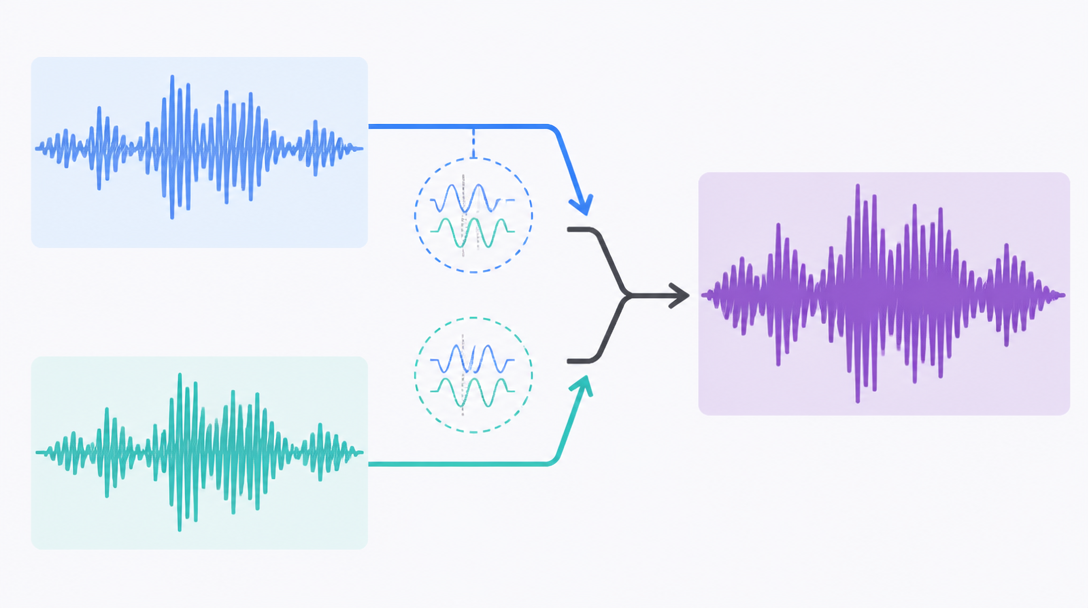
Vocal doubling, usually called double tracking, is the practice of recording the same melody and lyric more than once and playing the takes back together. Wikipedia's entry on double tracking describes it as a performer recording over their own prerecorded part to create a fuller, bigger sound, and classifies it as a type of overdubbing that duplicates an existing part rather than adding a new one.
That last point matters. A double does not add new musical information; it copies the part. Vocals are the classic use case, but the same idea is used on lead guitars and synth solos, and in rock and metal it is standard practice for rhythm guitars.
Why two takes sound bigger than one
No singer can repeat a line perfectly. Each take lands a little differently in pitch and in time. As Sound On Sound's guide to double-tracking in Logic Pro puts it, those subtle pitch and timing differences between takes are the key to the whole effect. Played together, the two takes interfere with each other in a constantly shifting way, which our ears hear as a thicker, broader and slightly looser sound.
The flip side is just as important: if you copy a vocal and paste the identical waveform on a second track, you get no doubling at all. The two copies add up perfectly and the result is simply louder. A double only works because it is similar to the lead without being identical.
Doubling vs. harmonies vs. a chorus effect
Doubling stacks the same notes. Harmonies stack different notes, typically a third or a sixth away from the melody. The goals differ as well: doubling makes the voice itself bigger, while harmony adds chords and color. If harmony parts are what you are after, see our guide to writing vocal harmonies in thirds and sixths.
- Doubling: the same melody and lyric sung again, in unison
- Harmony: a different pitch line, such as a third or sixth above or below
- Chorus effect: a processor that modulates a single signal to imitate the movement of several voices
A Short History of Vocal Doubling: The Birth of ADT
Doubling by hand
Double tracking goes back to the tape era. According to Wikipedia, Buddy Holly pioneered the technique in popular music, and John Lennon and Paul McCartney both used it frequently in the Beatles. On Nirvana's 1991 album Nevermind, producer Butch Vig double-tracked Kurt Cobain's vocals and guitars to make the record sound big enough.
The catch is obvious: a real double means singing the same part again, often many times, until a take sits well against the lead. For singers, it was slow, repetitive work.
1966: ADT is invented at Abbey Road
Artificial (or automatic) double tracking was invented to remove that chore. Wikipedia's article on automatic double tracking explains that Ken Townsend, a recording engineer at EMI's Abbey Road Studios, devised ADT in the spring of 1966, largely at John Lennon's request.
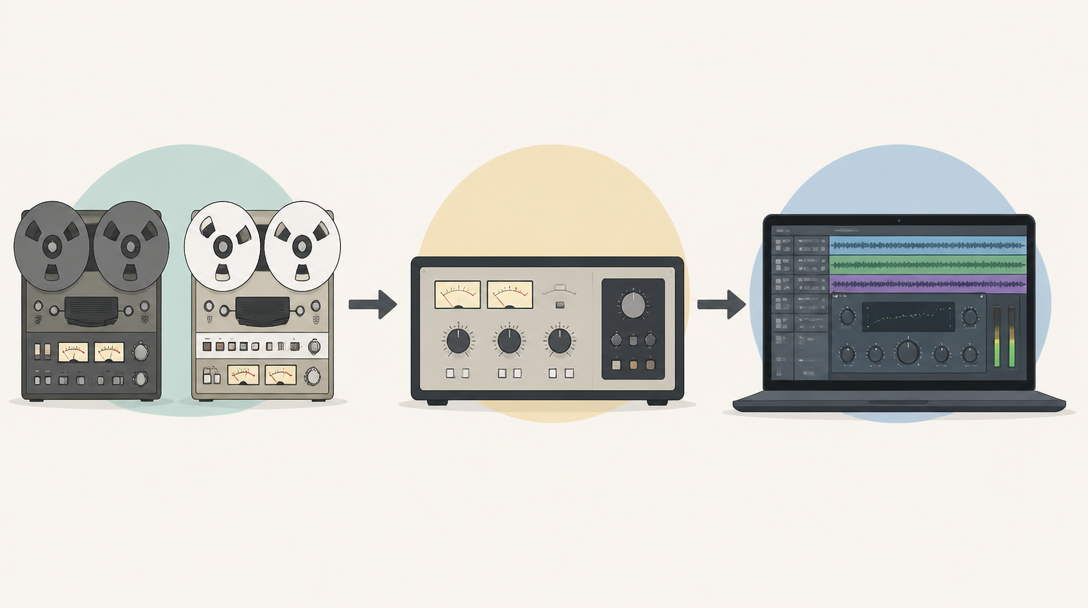
The method fed the vocal to a second tape machine whose speed was varied by an oscillator. The result was a copy delayed by a few milliseconds and gently wobbling in pitch, which was then mixed back with the original vocal. According to the same article, most of the double-tracked vocals on the Beatles' 1966 album Revolver were created this way.
From tape machines to plugins
ADT later moved into analog delay units, then digital delays, and today it lives inside your DAW as a plugin. The Waves Abbey Road Reel ADT, for example, is presented by Waves as a model of Abbey Road's original automatic double tracking process.
- 1950s and 1960s: doubles are sung and recorded by hand
- 1966: ADT with two tape machines and an oscillator
- Later decades: analog and digital delay hardware takes over the job
- Today: doubler plugins recreate the effect inside the DAW
Real Doubles vs. ADT and Doubler Plugins
Real (natural) doubles
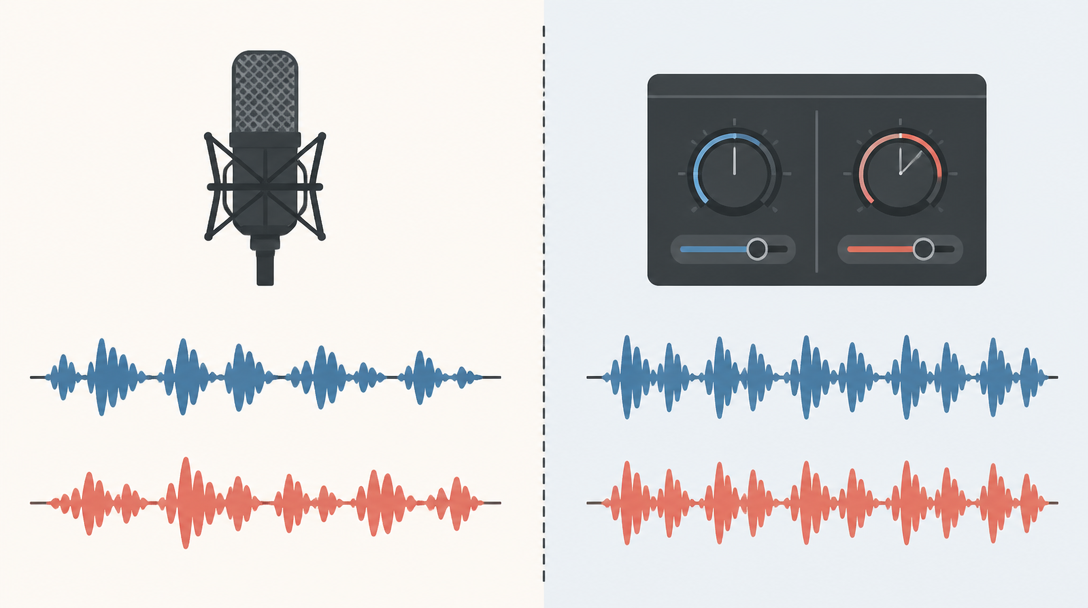
A real double is simply a second sung take. Pitch, timing, pronunciation and breathing vary naturally from phrase to phrase, which is why real doubles give the most convincing "two singers" thickness. In a 2003 Sound On Sound Q&A on double-tracked rap vocals, the answer was refreshingly direct: record the same thing twice. The magazine added that, at the time, no plug-in or processor could convincingly fake a double-tracked rap vocal.
ADT and doubler plugins
An ADT-style plugin builds the second voice from a single take by adding a short delay and a small amount of pitch shift, or detune. You never have to sing the part again, and you can tweak the effect at any time. The trade-off, as the history of ADT notes, is that attentive listeners can often hear a slightly synthetic quality compared with a genuine second performance.
How to choose between them
Factor | Real double (re-recorded) | ADT / doubler plugin |
|---|---|---|
What you need | A second sung take | One vocal take plus a plugin |
Character | Natural, organic thickness | Even, polished width (can sound artificial) |
Effort | More recording and editing time | Insert and adjust at any time |
Best for | Choruses, rock, emphasized rap lines | Demos, vocals you cannot re-record, subtle width |
Main risk | Flamming consonants and line endings | Comb filtering when summed to mono |
A sensible rule of thumb: if the singer can re-record, use real doubles; if they cannot, or you only want a touch of width, reach for a plugin. Many productions use both, with real doubles on the chorus and a light plugin double on the verses.
How to Record a Vocal Double
Match the lead vocal's setup
Record the double with the same microphone, the same distance and the same input gain as the lead. Change any of these and the tonal difference between the takes grows, so the double stops blending and starts sounding like a different singer. Sound On Sound suggests matching the tone with EQ when different microphones create a noticeable imbalance. For the basics of a home vocal setup, see our home vocal recording guide.
- Keep the mic, pop filter and singing distance identical to the lead take
- Leave the preamp gain where it was
- Copy the lead's phrasing: breath positions, note lengths and amount of vibrato
The second-best take is usually enough
A double does not need to be perfect. The same Sound On Sound answer notes that the "second-best" take is usually fine as a double-track, because layering smooths out the character of each individual performance. Small flaws you would hear in solo tend to disappear once the double sits under the lead.
What does pay off is consistency. The closer the double matches the lead's word endings and breath positions, the less editing you will do later. Have the singer listen to the lead in their headphones and focus on cutting words off in the same places.
Quad tracking
When two layers are not enough, some producers record the part four times, a technique known as quad tracking and described by Wikipedia as an extension of double tracking. Two takes per side can produce a wall-like stereo spread, but every extra layer adds more consonants that can fall out of sync, so weigh the extra size against the extra editing.
How to Mix Vocal Doubles Step by Step
Panning: center or left and right?
You have two basic options for placing a double: keep it in the center behind the lead, or pan the layers apart. In a 2020 Sound On Sound answer by Mike Senior, both are treated as valid, but if you opposition-pan two layers, it almost always makes sense to keep them at the same level. Unequal levels give you a lopsided stereo image and inconsistent results on real-world playback systems.
Senior also points out that hard-panned layers lose roughly 3dB of level in mono, and that when they combine in mono, the chorusey interference you did not hear in stereo comes back. His advice is to check the mix in mono immediately whenever you pan vocal doubles. For more on placement, see our introduction to panning and stereo imaging.
iZotope's guide to double tracking makes a similar point: you do not always have to pan doubles hard left and right, and a double tucked under the lead closer to the center can be just as effective. Changing the width between song sections is an easy way to add contrast to an arrangement.
Set levels and processing apart
When the double sits directly behind the lead, it is usually mixed lower so that the result reads as one bigger voice. Sound On Sound frames the choice neatly: tight editing with the double tucked lower gives a single-voice, organic chorus effect, while looser editing with matched levels sounds like two singers.
- Compress the lead but not the double, so the double becomes more audible on accented words
- Ride the double's fader to push it up on the words and phrases you want to emphasize
- Trim a little low end from the double so it does not crowd the lead
The first two techniques come from Sound On Sound. The third is a common mixing habit that keeps the double from muddying the lead in the low mids.
Clean up consonants and breaths
The most audible doubling mistake is clashing consonants and breaths. iZotope warns that sibilants such as s and t are extremely distracting when they are out of time, and when they are in time they can stack up and become overpowering. Its recommendation is to remove breaths from the doubles completely and to reduce the s and t sounds on the doubles with a de-esser, a processor that tames harsh sibilance, so they do not clash with the lead.
Consonant clean-up checklist
- Delete the breaths on the double tracks
- Pull down s, t, k and similar consonants on the doubles with a de-esser or volume automation
- Trim the double's phrase endings slightly shorter than the lead's so line endings do not flam
Align the timing (VocAlign or Flex Time)
You can tighten a re-recorded double by hand, cutting and nudging the waveform, or let a dedicated tool do it. According to a September 2026 MusicTech feature, Synchro Arts' VocAlign 7 adds a multi-track workflow that handles several vocal tracks at once, plus an "instant capture" feature for DAWs without ARA support, which finally makes it practical for Ableton Live and FL Studio users.
In Logic Pro, the built-in Flex Time tools can do the job too. Apple's Logic Pro User Guide describes the Monophonic algorithm as designed for melodic material that plays one note at a time, making it a good choice for solo vocals, and recommends that the recording be relatively dry. If pitch drift between takes bothers you, the tools covered in our DAW pitch correction comparison and our Auto-Tune vs. Melodyne guide can nudge it into place. Just remember that matching pitch and timing too perfectly removes the very movement that makes a double sound thick.
How to Create a Double With Plugins
The basic delay-plus-detune recipe
Plugin doubling usually comes down to two ingredients: a short delay and a few cents of detune. In a 2020 Sound On Sound workshop by Paul White, the whole effect is built from Logic Pro's stock plugins.
- Insert the Direction Mixer first and set Spread to 0 to keep the signal mono compatible before any stereo processing
- Use the dual-mono Pitch Shifter to raise one channel by +3 or +4 cents and lower the other by −3 or −4 cents, the classic detune patch
- Add roughly 25ms of delay between the two channels
- Run it 100% wet for a hard-panned double, or blend in the dry vocal for a three-voice sound: the original in the center with processed copies left and right
A cent is one hundredth of a semitone. Shifts of just a few cents, combined with a short time offset, are enough to suggest the natural wobble of a second performance.
Popular doubler plugins
Plugin | Approach | Highlights |
|---|---|---|
Dedicated vocal doubler | Free. Drag to set stereo separation and human-style variation | |
Delay plus detune | Pans slightly delayed copies hard left and right and shifts them a few cents up and down. Three styles: two based on the Eventide H3000 and one on the AMS DMX 15-80 | |
Tape ADT emulation | Models Abbey Road's original ADT for a vintage, moving double |
As Sound On Sound's review explains, MicroShift's Focus control applies the effect only above a chosen frequency, so you can widen the upper range without blurring the low end. Soundtoys also offers a free, stripped-down version called Little MicroShift.
Watch out for the Haas effect and mono compatibility
Short-delay widening relies on a psychoacoustic phenomenon called the Haas effect, or precedence effect. According to Wikipedia's article on the precedence effect, experiments by Wallach and colleagues in 1949 found that two sounds fused into one when the gap between them was 1 to 5 ms for clicks, and up to about 40 ms for complex sounds such as speech or piano. With longer gaps, the second sound was heard as an echo.
iZotope's explainer on the Haas effect places the Haas zone at delays below about 30 to 40 ms, and warns that the technique can cause nasty comb filtering, a frequency-dependent phase cancellation, when the mix is summed to mono. Its suggested fixes include fine-tuning pan, delay time, level and EQ, or using mid/side processing so the delay only affects the side channel.
- Start with delay times between a few milliseconds and about 30 ms
- Always check on mono playback, such as a phone speaker
- If the vocal thins out or warbles in mono, change the delay time or narrow the effect
Common Vocal Doubling Mistakes and How to Fix Them
Doubling every single word
Doubling is not an effect where more is always better. iZotope recommends saving doubles for the lines you want to emphasize instead of using them on every word, and not overusing them at the start of a song, so the track can build.
- Keep the verse single and switch to doubles in the chorus to lift it
- Add a double only on the key words of a phrase
- Go to quad tracking only for the final chorus to take the size up one more step
The vocal thins out or warbles in mono
A double that sounds wide in stereo can turn hollow or phasey in mono. The usual culprit is phase cancellation caused by a short time offset. As noted above, hard-panned doubles lose around 3dB in mono and bring back chorusing you did not hear in stereo, so check in mono every time you change panning or delay settings. If you add reverb or delay to the doubles, listen in mono again to make sure the vocal image has not smeared.
Line endings do not match
With real doubles, mismatched word endings are the most common giveaway. If the lead holds a note while the double cuts off early, or the other way around, you hear a small stumble at the end of every line. Trim the double's endings a little shorter than the lead's and fade them out, and the layers will blend much more naturally.
If it still sounds loose, tighten the timing with VocAlign or Flex Time. But do not lock everything down: aligning only the consonants and endings while leaving the vowels free keeps the movement that gives a double its weight.
Summary
- Vocal doubling stacks two or more takes of the same line; tiny pitch and timing differences between takes create the thickness and width
- ADT was invented by Ken Townsend at Abbey Road in 1966, and today doubler plugins recreate it in the DAW
- Use real doubles for the most natural result and plugins for convenience or vocals you cannot re-record
- In the mix, focus on panning (equal levels when panned apart), level differences, consonant and breath clean-up, and timing alignment
- Short-delay doubling relies on the Haas effect, so always check the result in mono
Doubling rewards small decisions in both recording and mixing. Start with a single chorus line, compare it in stereo and in mono, and adjust until the thickness suits the song. Music by the site's author, Daito Iwasaki, is available on streaming services via Daito's TuneCore artist page.