Built-in Pitch Correction by DAW: Flex Pitch, VariAudio & ARA 2
Which DAW has the best built-in pitch correction? Compare Flex Pitch, VariAudio, Newtone, Auto Shift and ReaTune, check the editions, and see what ARA 2 adds.
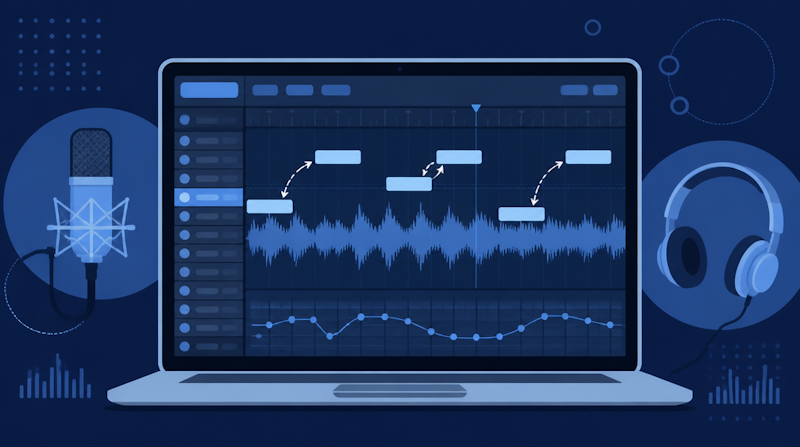
Which DAW has the best built-in pitch correction? The honest answer is that most major DAWs already include one, but they differ a lot in what they offer and which edition you need. Logic Pro has Flex Pitch, Cubase has VariAudio, FL Studio has Newtone, and Ableton Live now has Auto Shift. On top of that, DAWs that support ARA 2 let you run Melodyne as if it were part of the DAW's own editor. This guide compares the built-in pitch correction in seven popular DAWs, explains what ARA 2 actually changes, and gives you a clear way to decide whether the stock tools are enough or whether you should add a dedicated editor.
Note: this article is based on the manufacturers' official pages and manuals as checked on October 17, 2026. Features and edition line-ups change with updates, so always confirm the latest official information before you buy.
What Is DAW Pitch Correction? Built-in Tools vs. Plug-ins
The Two Approaches to Pitch Correction
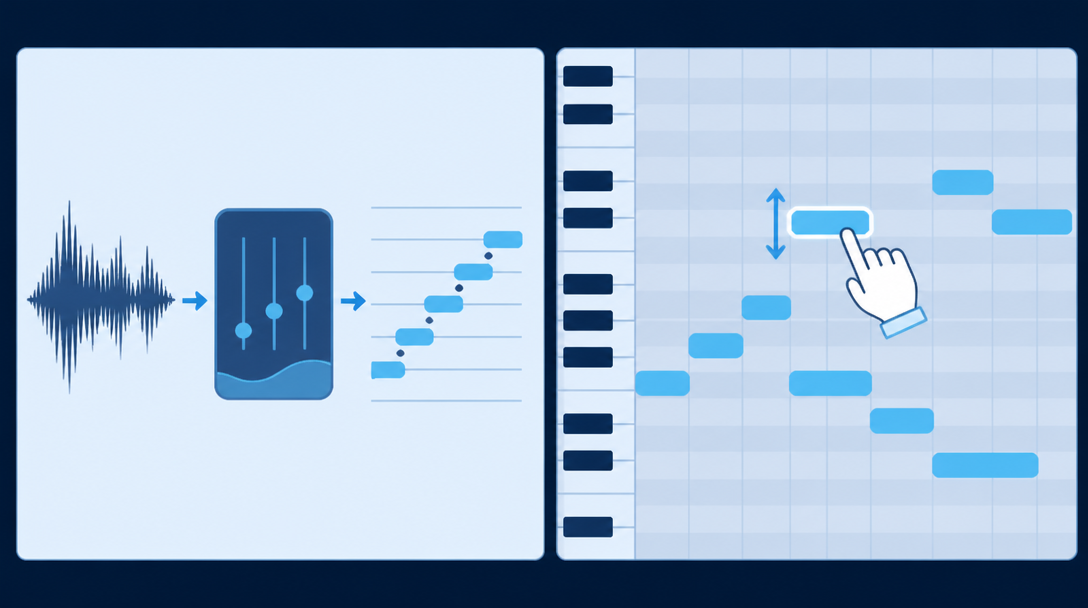
Pitch correction means moving the notes of a recorded vocal or instrument closer to the intended pitch. Every tool in this article falls into one of two approaches:
- Real-time correction: an effect you insert on a track that pulls the signal toward a chosen scale while the song plays. It is fast to set up, and when pushed hard it produces the familiar robotic "hard-tune" effect.
- Offline (graphical) editing: the recording is analyzed and shown as note blocks that you can move, stretch, and reshape one by one. It takes longer, but it is the way to get transparent, natural-sounding results.
Neither approach is "better" in general; they solve different problems. Use real-time correction to tidy up a scratch vocal or as an effect, and offline editing to polish a final take. For a deeper look at the two approaches and at the two best-known third-party tools, see our comparison Auto-Tune vs Melodyne: Vocal Tuning Tools Compared.
How Built-in Tools Differ from Third-Party Plug-ins
Auto-Tune and Melodyne are third-party plug-ins that run in almost any DAW. This article is about something different: the pitch correction that ships inside the DAW itself. Built-in tools cost nothing extra, and because they live inside the DAW's own editors, your workflow is not interrupted by switching windows or bouncing audio.
The catch is that availability varies a lot between DAWs, and sometimes only the higher editions include the feature. If you buy an entry-level edition assuming it "does pitch correction," you may find the tool is simply not there. If you are still choosing a DAW, our guide How to Choose a DAW: Logic Pro vs Ableton Live vs FL Studio covers the bigger picture.
The DAWs Compared in This Guide
We look at the following DAWs, which together cover most home and project studios:
- Logic Pro (Apple)
- Cubase (Steinberg)
- Studio Pro (formerly Studio One; renamed Fender Studio Pro in January 2026)
- FL Studio (Image-Line)
- Ableton Live (Ableton)
- REAPER (Cockos)
- Pro Tools (Avid)
Whatever DAW a track was made in, listeners judge only the final result. The best way to train your ear for good pitch correction is to listen critically to released music; for example, you can hear Daito Iwasaki's releases on Daito's music on TuneCore.
Built-in Pitch Correction by DAW: Comparison Table
Stock Pitch Tools and ARA Support at a Glance
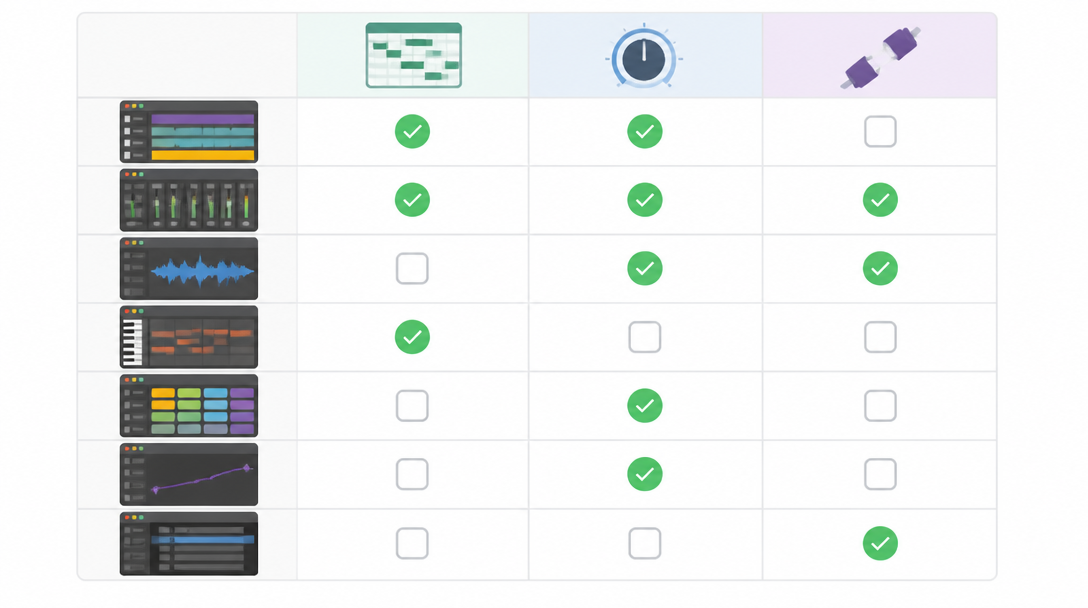
The table below lists each DAW's built-in pitch correction and how it connects to Melodyne. The ARA column is based on Celemony's official Melodyne 5 DAW compatibility table.
DAW | Built-in offline editor | Built-in real-time correction | Melodyne integration (Celemony's table) |
|---|---|---|---|
Logic Pro | Flex Pitch | Pitch Correction | ARA (Audio Units) |
Cubase | VariAudio 3 (Pro / Artist only) | — | ARA (VST3) |
Studio Pro (formerly Studio One) | Includes a Melodyne Essential licence | — | ARA (VST3) |
FL Studio | Newtone (Signature Bundle and up) | Pitcher (Signature Bundle and up) | Not listed (used as a regular plug-in) |
Ableton Live | — | Auto Shift (added in Live 12.1) | VST3 (no ARA) |
REAPER | ReaTune manual correction | ReaTune automatic correction | ARA (VST3) |
Pro Tools | — | — | ARA (AAX), integrated since 2022.9 |
A dash means we could not find an equivalent built-in feature in the official information reviewed for this article.
Reading the Table: Watch the Editions
The most important detail in the table is that features depend on the edition you own:
- Cubase: according to Shimamura Music's Cubase 15 edition guide (a major Japanese retailer), VariAudio 3 is available in Cubase Pro and Cubase Artist, but not in the entry-level Elements.
- FL Studio: Image-Line's edition comparison lists both Newtone and Pitcher as "Signature Bundle and up."
- Logic Pro: there is only one edition, and both Flex Pitch and the Pitch Correction plug-in are included.
If pitch correction matters to you, check the official comparison chart for the exact edition before you upgrade or switch.
What "ARA Support" Means in Practice
The last column refers to ARA, a technology that lets a DAW and a plug-in exchange audio and musical information directly. In an ARA-capable DAW, opening Melodyne on a clip analyzes it instantly and you edit it right on the DAW's track. Melodyne still works in DAWs without ARA, but you first have to play the audio into Melodyne to "transfer" it. We explain ARA in more detail later in this guide.
Logic Pro Pitch Correction: Flex Pitch and the Pitch Correction Plug-in
Flex Pitch: Note-by-Note Offline Editing
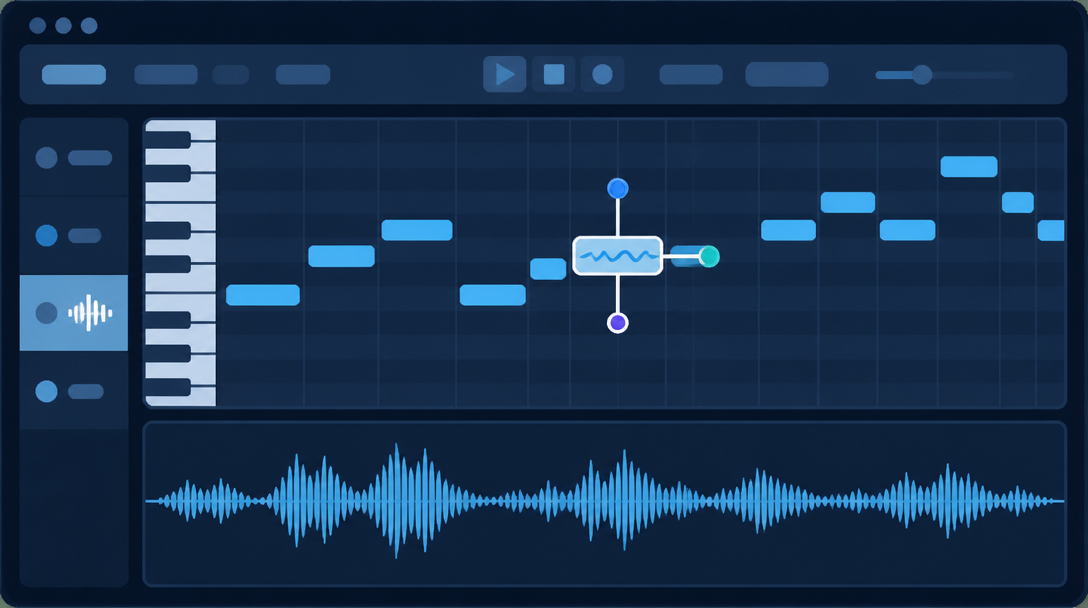
Flex Pitch analyzes audio, splits it into notes, and displays them much like a piano roll. Apple's Logic Pro User Guide on editing pitch and timing with Flex Pitch explains that once you choose Flex Pitch in the Audio Track Editor, the sections recognized as notes can be edited for pitch, position, and length in much the same way as in the Piano Roll Editor.
Each note has "hotspots" that let you adjust pitch, vibrato, gain, and other parameters individually, and you can split notes or merge several into one. The guide also describes pitch quantization, which is especially useful for takes that have the right feel and timing but are slightly out of tune.
- Turn on Flex for the track and choose Flex Pitch as the Flex mode.
- Drag note blocks up or down to fix their pitch.
- Use the hotspots to fine-tune vibrato and gain.
- Apply pitch quantization when you want to correct several notes at once.
Pitch Correction: Real-Time Correction to a Scale
Logic Pro also includes the Pitch Correction effect plug-in (see Apple's Pitch Correction effect documentation). You choose a scale or chord as a "pitch quantization grid," and notes that fall outside it are pulled to the nearest valid pitch. The default is the chromatic scale, and because the Scale and Root parameters can be automated, the plug-in can follow key changes within a song.
Think of Flex Pitch as the tool for checking and fixing notes one at a time, and Pitch Correction as the tool that constantly applies a rule you set. A common split is Pitch Correction for monitoring and scratch vocals, and Flex Pitch for polishing the final take.
Using Melodyne in Logic Pro
Logic Pro supports ARA 2. According to Celemony, the first DAWs to implement ARA 2 were Studio One 4 and Logic Pro X 10.4 (Celemony: 10 years of ARA), and Celemony's current compatibility table lists Logic Pro with ARA via Audio Units.
When Flex Pitch is not enough, for instance when you need to correct a single note inside a chord or redraw pitch drift in more detail, adding Melodyne is the natural next step. Thanks to ARA, you can use it directly on Logic's tracks without transferring audio first.
Cubase, Studio Pro, FL Studio and Other DAWs
Cubase: VariAudio 3 (Pro and Artist)
Cubase's VariAudio works in the Sample Editor. It divides a monophonic recording into "segments" and lets you edit their pitch and timing. As noted above, VariAudio 3 is included in Cubase Pro and Artist, but not in Elements. Shimamura Music lists Cubase 15 at 69,300 yen for Pro, 39,600 yen for Artist and 13,200 yen for Elements (Japanese retail prices including tax).
One of VariAudio's signature features is pitch-curve straightening. Steinberg's manual page on straightening pitch curves explains that you can reduce the rise and fall around a representative pitch by dragging the smart control at the top center of a segment, or by moving the slider in the Inspector. In other words, you can tame the wobble inside a note without moving the note itself.
Studio Pro (formerly Studio One): Melodyne Essential Included
As of January 13, 2026, PreSonus Studio One is called Fender Studio Pro, released as version 8 (Sound On Sound's report). Its standout feature for pitch work is its close relationship with Melodyne: MusicTech's Studio Pro 8.1 review notes that Studio Pro 8.1 continues to include a Melodyne Essential licence.
The very first version of ARA arrived in 2011 with Studio One 2 and Melodyne, and that history shows: in Studio Pro, Melodyne behaves very much like one of the DAW's own editing tools. Keep in mind that Melodyne Essential is the entry-level edition focused on monophonic pitch and timing editing; editing individual notes inside chords belongs to the higher Melodyne editions.
FL Studio: Newtone and Pitcher
FL Studio offers two pitch tools. According to Image-Line's Newtone manual, Newtone is a "pitch-correction and time manipulation editor." It analyzes a recording, shows the notes as blocks, and lets you edit pitch, vibrato, and formants (the character of the voice). You can export the result as audio or as MIDI data.
Pitcher is the real-time counterpart: it corrects pitch live and can also generate harmonies. Both are included only in the Signature Bundle and higher editions. FL Studio does not appear in Celemony's compatibility table, so if you want Melodyne in FL Studio, you use it as a regular plug-in and transfer the audio rather than through ARA.
Ableton Live, REAPER and Pro Tools
Ableton Live gained a real-time pitch correction device, Auto Shift, in Live 12.1. The Live manual's Audio Effect Reference describes it as "a real-time pitch tracking and correction device with controls for vibrato, pitch shifting, and formant shifting." It can correct to a defined scale or follow MIDI notes from a separate track. Celemony's table, however, lists Ableton Live's integration as plain VST3, so there is no ARA support.
REAPER ships with ReaTune, a stock plug-in that combines a tuner, automatic correction, and manual correction in one window; in manual mode you draw corrections on a pitch graph. REAPER is also listed in Celemony's table with ARA (VST3), so Melodyne integrates fully.
Pro Tools integrated Melodyne via ARA 2 starting with version 2022.9. As rekkerd.org reported, the Melodyne interface is docked in the Pro Tools Edit window and can be applied to entire tracks or clip by clip.
What Is ARA 2? How DAWs and Melodyne Work Together
Before ARA: Audio Had to Be Transferred
A normal plug-in receives audio from the DAW moment by moment as the song plays. It never sees the whole recording in advance. That is why an editor like Melodyne, which needs to analyze an entire performance, originally required a "transfer" step: you played the section through so Melodyne could record it internally. If you later swapped takes or moved clips in the DAW, you often had to transfer again.
What ARA 2 Changed
ARA (Audio Random Access) is an extension to plug-in formats developed by Celemony. Celemony explains that ARA expands interfaces such as VST and Audio Unit with a "musical information channel," so DAWs and plug-ins can exchange notes, tempo, and chord information. Because the plug-in can access the audio files directly, the transfer step disappears.
- ARA 1.0: introduced in October 2011 with PreSonus Studio One 2 and Melodyne.
- ARA 2.0: announced in January 2018; first implemented in Studio One 4 and Logic Pro X 10.4.
- What ARA 2 added: simultaneous multi-track processing and two-way synchronization between host and plug-in, among other improvements.
In practice, this means that in an ARA 2 DAW you can open several stacked backing-vocal tracks in Melodyne at once and compare them while you edit. When you are lining up harmony parts, seeing every voice together saves a lot of time. For writing the harmonies themselves, see How to Create Vocal Harmonies: A Guide to Chorus Arrangement.
ARA 2 Compatible DAWs (Celemony's Compatibility Table)
Celemony's Melodyne 5 compatibility table lists the following DAWs and integration methods (checked October 17, 2026):
DAW | Version tested | Integration |
|---|---|---|
Pro Tools | 2026.4 | ARA-AAX |
Logic Pro | 11.2.2 | ARA-AU |
Cubase | 15.0.30 | ARA-VST3 |
Studio Pro | 8.1 | ARA-VST3 |
REAPER | 7.52 | ARA-VST3 |
Nuendo | 15.0.30 | ARA-VST3 |
Digital Performer | 12.00 | ARA-VST3 |
Cakewalk Sonar | 32.04.0 | ARA-VST3 |
Ableton Live | 12.4 | VST3 (no ARA) |
LUNA Pro, Samplitude Pro, Sequoia, and Mixcraft are also listed with ARA-VST3. "Version tested" means Celemony confirmed operation with that version; it does not mean earlier versions cannot work.
How to Use DAW Pitch Correction: Basic Workflow and Tips
Prepare Before You Correct
Offline editors such as Flex Pitch, VariAudio, and Newtone all start by analyzing the recording and splitting it into notes. How well that analysis works depends heavily on the source audio:
- Keep it monophonic: one voice or one instrument per track. When several voices overlap, note detection struggles.
- Correct the dry signal: apply reverb and other effects after tuning, because reverb tails confuse pitch detection.
- Reduce noise and bleed: a clean recording is the shortcut to clean tuning.
For tips on getting a clean take in the first place, read Home Vocal Recording Guide: Techniques & Setup Tips.
The Basic Offline Editing Workflow
Screens and terminology differ, but the offline workflow is broadly the same in every DAW:
- Open the pitch editing mode on the track or clip you want to fix (Flex Pitch in Logic Pro, VariAudio in Cubase, Newtone in FL Studio).
- Check that the detected note boundaries are correct, and split or merge notes where needed.
- Move only the notes that are clearly off to the correct pitch.
- Where a sustained note wobbles too much, apply a moderate amount of pitch-drift reduction.
- Play the result back with the full arrangement and listen for unnatural transitions.
Tips for Natural-Sounding Results
The most common mistake is flattening every note completely. Real voices have natural movement: scoops into notes, vibrato on long notes, small drifts between phrases.
- Do not fix everything: correct only the notes that sound off and leave good notes alone.
- Keep the vibrato: when reducing drift, aim to "tidy" the pitch rather than make it perfectly flat.
- Watch the tone on big moves: large pitch shifts can change the character of a voice. If your tool offers formant control, use it to keep the tone consistent.
- Judge in context: wobbles that bother you in solo often disappear once the backing track is playing.
Time-stretching, which changes the length or tempo of audio, relies on the same kind of analysis as pitch correction. Our guide How to Change BPM and Tempo in a DAW: Time-Stretching Guide is a useful companion read.
Are Built-in Tools Enough? Choosing Your DAW Pitch Correction
When Built-in Tools Are Enough
Start with your DAW's built-in pitch correction if your needs look like this:
- You need to fix a handful of off notes on a monophonic vocal or instrument.
- You want to tidy a scratch vocal or demo quickly.
- You want a hard-tune effect using real-time correction.
If you own Logic Pro (Flex Pitch and Pitch Correction), Cubase Pro or Artist (VariAudio), or FL Studio Signature Bundle or higher (Newtone and Pitcher), you can handle offline note editing with no extra purchase. In Studio Pro, the included Melodyne Essential fills that role.
When to Add Melodyne or Another Dedicated Editor
A dedicated tool is worth adding in these situations:
- Your DAW has no built-in offline pitch editor (for example Ableton Live or Pro Tools) and you need note-level editing.
- You want to correct a single note inside a chord on guitar or piano (territory of the higher Melodyne editions).
- Your DAW edition does not include pitch correction (for example Cubase Elements or the lower FL Studio editions).
- You work across several DAWs and want the same workflow everywhere.
This is where ARA support matters. In an ARA DAW, Melodyne works without transfer and feels almost like a built-in tool. Melodyne still works in non-ARA DAWs, but plan for the extra transfer step.
If You Are Choosing or Switching DAWs
If you produce a lot of vocal music, deciding how you will handle pitch correction at the DAW-selection stage saves frustration later:
Your priority | DAWs and setups to consider |
|---|---|
Built-in tools with no extra cost | Logic Pro / Cubase Pro or Artist / FL Studio Signature Bundle and up |
A Melodyne-centered workflow | Studio Pro (Melodyne Essential included) or any ARA DAW plus Melodyne |
Mainly real-time correction | Ableton Live (Auto Shift), Logic Pro (Pitch Correction), FL Studio (Pitcher) |
A low-cost start | REAPER (ReaTune included, ARA supported) |
Whichever DAW you choose, the final test is always whether the song sounds natural. Listening closely to how tuned vocals sit in released mixes is one of the fastest ways to develop that judgment.
Summary
- DAW pitch correction comes in two forms: real-time correction to a scale, and offline note-by-note editing.
- The main built-in tools are Flex Pitch and Pitch Correction in Logic Pro, VariAudio 3 in Cubase, Newtone and Pitcher in FL Studio, Auto Shift in Ableton Live, and ReaTune in REAPER. Studio Pro (formerly Studio One) includes Melodyne Essential.
- VariAudio is limited to Cubase Pro and Artist, and Newtone and Pitcher to FL Studio Signature Bundle and up, so check your edition.
- ARA 2 DAWs such as Logic Pro, Cubase, Studio Pro, REAPER, and Pro Tools let you use Melodyne directly without transfer. Ableton Live connects via plain VST3, and FL Studio is not listed in Celemony's table.
- The core rules: fix only the off notes, keep the vibrato, and judge in the context of the full mix.
Pitch correction is a finishing step that should bring out the best in a performance, not erase it. Once you understand the difference between built-in tools and dedicated editors, you can pick the approach that fits your setup. For an example of finished productions, give Daito's released music a listen.