How to Submit Gymnastics Floor Music: Format, Volume & Backups
How to submit gymnastics floor music: real meet rules for data upload and USB/CD backups, MP3 format, file naming, loudness, clean endings and a checklist.
How you submit floor music for a gymnastics meet sounds like a small administrative detail, but it is one of the few things that can cost a gymnast points before she even moves. Under the FIG Code of Points, a floor routine performed without music is penalised 1.00 from the final score. Each meet also has its own rules: some want a data upload through a form, some want a CD or USB stick on the day, and some accept MP3 only. This guide walks through real Japanese meet directives and the FIG rules, then covers file format, audio quality and loudness, how the start and end of the track affect scoring, and how to protect yourself against a playback failure on competition day.
If you would rather have one person take care of everything from music selection and editing to a submission-ready file, Daito, a former gymnast and recording artist, offers custom competition floor music. Every track is delivered in a format that matches the Code of Points and the meet's submission rules.
Floor Music Submission Basics: Three Rules to Know First
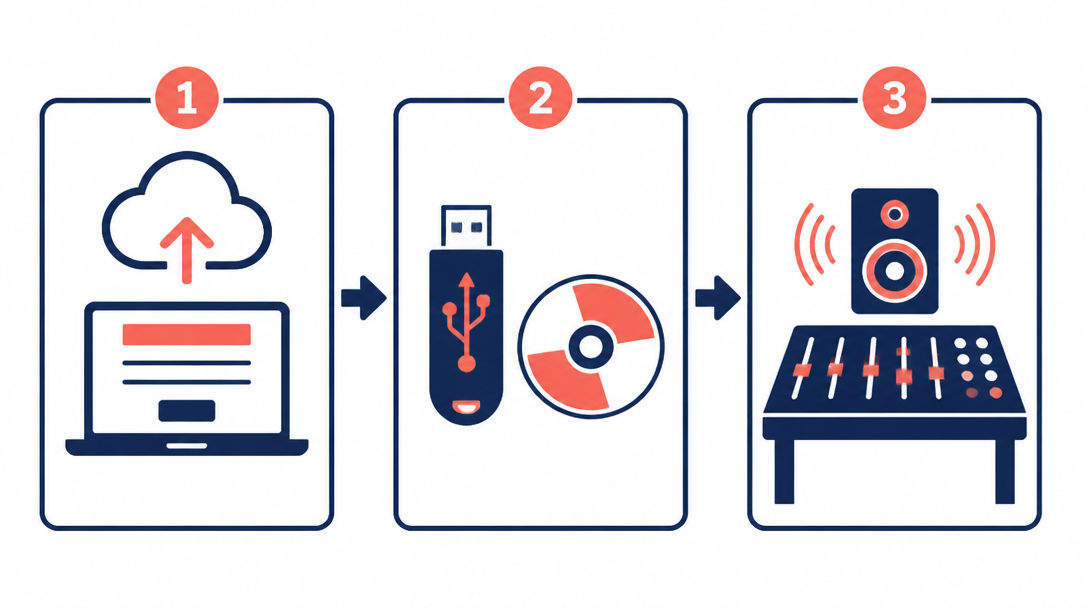
Upload the data, carry a backup
Handing a CD to the competition desk used to be the norm. At national championships run by the Japan Gymnastics Association (JGA), music is now submitted as data. The 2026 directive for the All-Japan Individual All-Around Championships (the Emperor's Cup) states plainly that floor music is to be submitted as data.
Data alone is not the whole story, though. The same directive asks every gymnast to prepare and bring a CD or USB stick in case of a data error. In practice, the current standard is a two-layer system:
- Upload the track in advance through the designated form. This is the file that will be played.
- Bring the same track on a CD or USB stick as a backup on the day.
What the FIG Code of Points asks for
Section 13.1 of the FIG Women's Artistic Gymnastics Code of Points 2025–2028 says that floor music is given to the competition administration. Each piece is timed, and that time is approved by the administration and the delegation head coach. The submission must include:
- The gymnast's name and the three-letter FIG country code (JPN for Japan, USA for the United States, and so on)
- The name of the composer and the title of the music
Domestic meets often replace this with their own labelling, such as the gymnast's bib number and club name. The next section looks at real examples.
Stay within 90 seconds and finish with the music
The same Code limits a floor routine to 1:30 (90 seconds). An exercise of 91 seconds or more receives a 0.10 overtime penalty. Timing starts with the gymnast's first movement and stops at her final position, and the Code is explicit that "the exercise must end with the music." A track can be shorter than 90 seconds and still cause problems if the routine and the music do not finish together, because that is an artistry deduction. Think of length as "length matched to the choreography," not just the file duration. Our 90-second floor routine timing template goes deeper into how to plan those seconds.
Floor Music Submission at Japanese Meets: Real Directives
The All-Japan Individual All-Around Championships
The 2026 Emperor's Cup directive sets out the following rules for women's floor music.
Item | What the directive says |
|---|---|
Method | Music is submitted as data through a designated online form |
Sender name | Enter the club or team name |
File name | "BibNumber_GymnastName", in that order |
Backup | Each gymnast prepares and carries a CD or USB stick in case of data errors |
Media rule | One track per medium, playable on standard playback equipment |
Copyright | A JASRAC (Japanese music copyright society) application is submitted via form, with a fee of 500 yen per female gymnast |
Note that even the order of the file name is specified. The organisers handle a large number of tracks, and a file that does not follow the naming rule is an easy way to get music mixed up.
The NHK Trophy resubmission rule
The 2026 NHK Trophy directive asks gymnasts to resubmit through the form only if their music differs from what they submitted for the All-Japan All-Around. If the music is the same, no resubmission is needed. When meets come back to back, this is how a gymnast who changed her music avoids having the old track played. Whenever you change music between meets, check whether the directive requires a new submission. The NHK Trophy directive also asks for a CD or USB backup and the same "one track per medium" rule.
A high school meet in Kochi Prefecture
Regional meets still rely mainly on physical media. The 2026 Kochi Prefecture high school championships directive specifies that women's floor music must be "in MP3 format on a CD or USB memory stick." A WAV file, however good it sounds, may not be accepted as it is.
What to check in any meet directive
The wording differs from meet to meet, but the items you need to check are almost always the same. Mark these as soon as the directive arrives:
- Submission method (online form, email or in person on the day) and the deadline
- File format requirement (MP3 only, or WAV accepted)
- File naming rule (order of bib number, name and club)
- Media requirement (CD or USB, and whether only one track per medium is allowed)
- Whether a resubmission is needed if the music changed since the last meet
- Copyright paperwork (JASRAC forms or fees, or your country's equivalent)
For the copyright side of using commercial songs, see our article on floor music and copyright.
Floor Music File Format and Export Settings
Why MP3 is the safe default
MP3 plays on almost every computer, phone, CD player and venue sound system. A meet that names MP3 explicitly, as the Kochi directive does, is most likely doing so to avoid playback problems. The All-Japan directive's requirement that the file be "playable on standard playback equipment" points in the same direction. If you are unsure, having an MP3 ready is the safest choice.
Export checklist
When you export the track from your editing software, check the following:
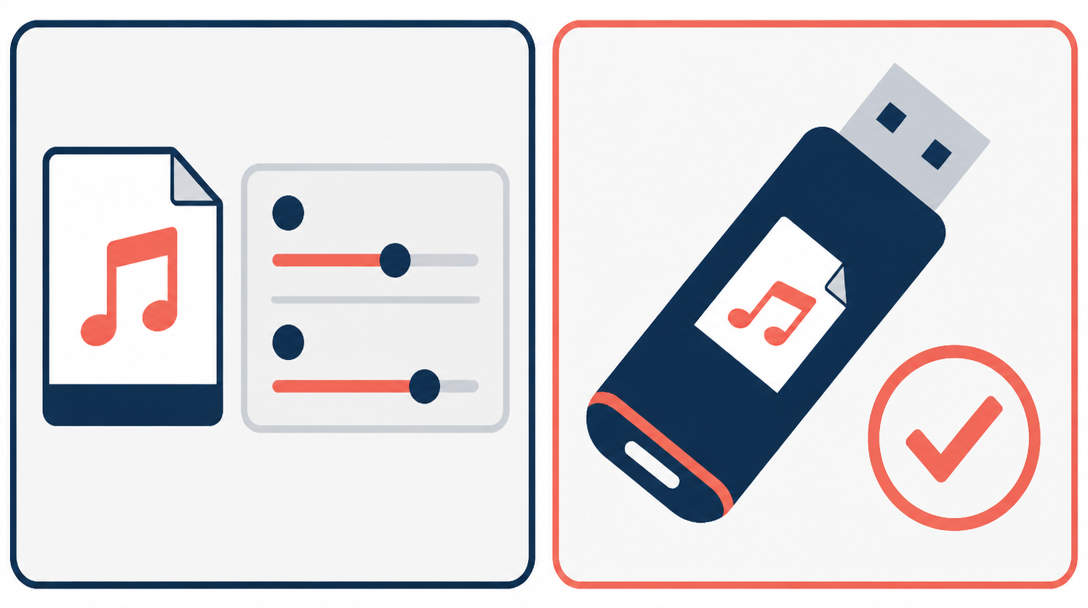
- Sample rate: 44.1 kHz, the audio CD standard, means no conversion is needed if you later burn a CD
- Bit rate: MP3 is a compressed format, and a bit rate that is too low makes the high end sound dull. Use a high setting as long as file size allows
- Stereo or mono: if the source is stereo, export in stereo
- Export range: check the waveform to make sure nothing unwanted is left at the start or the end
Editing problems that show up before export, such as clicks at edit points or rough crossfades, are covered in common floor music editing mistakes.
File names and "one track per medium"
Name the file exactly as the directive asks. For the All-Japan Championships, that means "BibNumber_GymnastName." Put a file with the same name on your backup USB so the staff can find it immediately if they need it.
Both the All-Japan and NHK Trophy directives allow only one track per medium. If your USB also holds a practice version, an older edit or a teammate's music, there is a real risk the wrong track will be played. Make a dedicated backup stick with only that meet's track on it.
If you would like the editing, export and naming done for you, Daito's competition floor music service handles that too. Each track is checked against both the Code of Points and the meet directive and delivered in the required format.
Floor Music Audio Quality and Loudness
FIG caps the volume in the arena
Article 4.10.5 of the FIG Technical Regulations 2026 requires organisers to provide a professional-standard sound system, including separate loudspeakers for the competitors. It also states that the sound level of music and announcements must not exceed 80 dB at 1,000 Hz, checked with a sound level meter placed near the judges. The sound technician must refuse requests from delegation members and follow only the FIG-designated representative.
In other words, at an FIG event you cannot ask for your music to be turned up. Whether it sounds powerful in the arena depends on how the track itself was prepared.
Why streamed songs and your edit can differ in volume
When a floor track is built from several songs, each section often has a different loudness. Streaming services hide this because they level tracks during playback. According to Spotify's guide to loudness normalization, Spotify adjusts playback to around -14 LUFS and does not change the audio files themselves. Two songs that sound equally loud in the app can be very different once you place the files side by side in an editor.
LUFS (Loudness Units relative to Full Scale) is a unit that measures loudness in a way that is close to how the ear perceives it. The measurement method is defined in ITU-R Recommendation BS.1770.
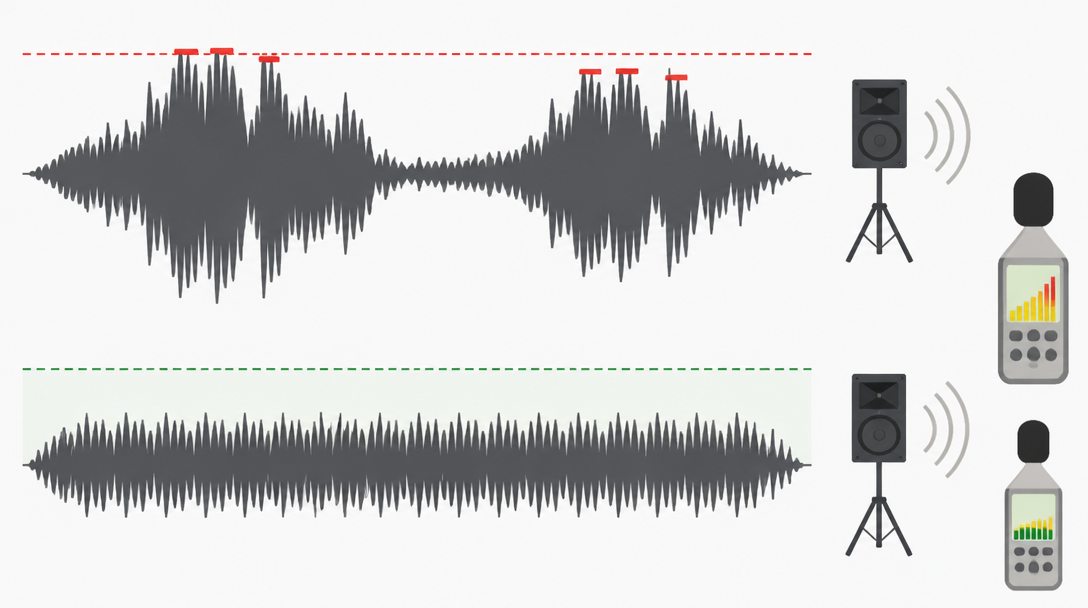
Check peaks and clipping
Push the level too far and the tops of the waveform are cut off, which causes distortion known as clipping. Large arena speakers can expose distortion you never noticed on earbuds. The broadcast standard EBU R 128 normalises programmes to -23 LUFS and sets a maximum true peak of -1 dBTP. No rule says floor music must meet those figures, but the principle of leaving headroom at the peaks to avoid distortion is a useful one.
- Are the tops of the waveform flattened?
- Does the meter in your editor hit the red (0 dB)?
- Does the track distort when played loud through big speakers?
Even out sections with loudness normalization
The free editor Audacity's Loudness Normalization effect (Effect > Volume and Compression) lets you match audio to a target LUFS value. The manual notes that it is useful for making material from different sources equally loud, and that adjusting maximum amplitude is best done as a final step before export. If you are joining several songs, level each one before joining them so the volume does not jump at an edit point.
How the Start and End of the Track Affect Scoring
Silence and signal tones at the start
The FIG Code of Points allows a signal or tone at the beginning of the recording, but the gymnast's name may not be spoken. Whether or not you use a tone, a long silence at the top of the file makes it hard to predict when the music will start after the operator presses play, leaving the gymnast holding her opening pose. Trim the lead-in silence so the music starts promptly.
Stop the music with the final pose
The artistry deductions in the Code include "lack of synchronisation between movement and musical beat at the end of exercise" (0.10) and "poor editing of the music" (0.10). The Code also says the music must be flawless, without abrupt cuts, and should have a clear start and a clear finish. A fade-out that drifts away makes it harder to land the final pose with the music. A clean, definite ending timed to the final position makes it much easier to finish together.
Voice and lyrics
In the FIG WAG Code of Points 2025–2028 version published on 14 October 2026, both the absence of music and music with words are penalised 1.00 from the final score. At the same time, the human voice used as an instrument without words (humming, wordless vocalising, whistling, chanting) is allowed, and any music that is not clearly a song or part of a song is accepted. If in doubt, a federation or gymnast may submit the music to the FIG Women's Technical Committee (WTC) for evaluation.
In the United States, some regions run an approval process for questionable music. USA Gymnastics Region 5, for example, has a floor music approval form for music with questionable singing, lyrics or voice, and coaches are asked to bring the approved form to competitions. Because the rules differ between bodies, see our article on lyrics in floor music under FIG and NCAA rules as well.
Competition Day: Backups and Playback Checks
How to prepare a backup CD or USB
The All-Japan and NHK Trophy directives ask for backup media because data errors really happen. A reliable backup follows these rules:
- Use exactly the same file you submitted, never an earlier edit
- Only that one track on the medium
- The same file name you submitted
- If you burn a CD, play it on a different device, such as a home CD player
- Write the gymnast's name, club and bib number on the medium or its case
Checks before the meet and at the venue
Before submitting, play the exported file from start to finish on something other than your computer, such as a phone or CD player. A track that sounds right inside your editor can still lose its first beat or get cut short at the end once exported. If the meet lets you play music during podium training, use that time to check the volume and how the music starts, and tell the organisers early if anything sounds wrong.
Pre-submission checklist
Item | What to check |
|---|---|
Length | Does the routine finish within 90 seconds with the music? (FIG: 0.10 penalty at 91 seconds or more) |
Voice and lyrics | Are there any lyrics? (FIG: 1.00 penalty for music with words) |
Format | Does it match the directive (MP3, etc.)? |
File name | Does it follow the naming rule (e.g. BibNumber_GymnastName)? |
Loudness | No big jumps in volume between sections, and no clipping? |
Start and end | Short lead-in silence, and does the music stop on the final pose? |
Backup | Is there a CD or USB with only this one file on it? |
Copyright | Are JASRAC or other copyright forms and fees taken care of? |
Do It Yourself or Hand It to a Producer?
When doing it yourself is enough
If all you need is to shorten a single song and export an MP3, free software is perfectly adequate. Work through the checklist above, test playback on a second device and prepare your backup, and you are unlikely to run into submission problems.
When a producer is the safer choice
It is safer to work with someone experienced in music production when:
- You are joining several songs and need to even out their loudness
- You want musical accents built around specific poses and tumbling passes
- You want to use music with vocals but are not sure it meets the rules
- Different meets require different formats or lengths, so you need several versions
What to prepare and how the process works are covered in our guide to commissioning competition floor music.
Summary
- At national meets in Japan, floor music is now uploaded as data through a form, with a CD or USB backup carried on the day
- Format, file naming and the one-track-per-medium rule vary by meet, so always check the six items in the directive: method, format, file name, media, resubmission and copyright
- Under FIG rules, the routine must finish within 90 seconds (0.10 penalty at 91 seconds or more), no music or music with words costs 1.00, and the exercise must end with the music
- Arena volume is capped, so fix loudness differences and clipping in the track itself
- Test playback on a second device and carry a backup containing only the exact file you submitted
If you want export settings and loudness matching handled along with everything else, talk to Daito about custom competition floor music. The service covers selection, editing and fully original compositions.