Headphone Mixing Pitfalls: When to Use Studio Monitors
Headphone mixing is convenient but risky: bass gets exaggerated and stereo width misleads you. Learn how to combine it with studio monitors and boost accuracy.
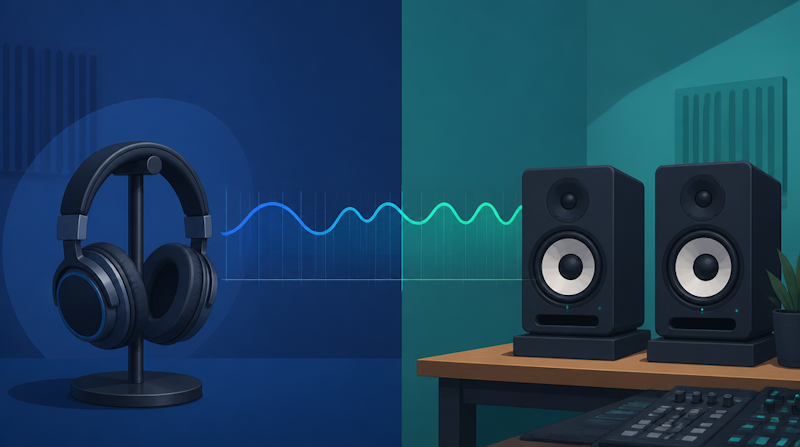
Headphone mixing is convenient: you can work any time, anywhere, without worrying about your room. But finishing a mix on headphones alone lands you in pitfalls that only appear when you switch to studio monitors. Bass balance drifts, stereo width gets e
xaggerated, and the mix can fall apart on other systems. This guide explains the pitfalls of headphone mixing and how to use headphones and studio monitors together, in a way that beginners can follow.
What Are the Pitfalls of Headphone Mixing?
Why headphone mixing became popular
Home recording is now the norm, and many producers reach for headphones so they can work late at night without disturbing anyone. Headphones let you hear tiny details and textures without being colored by your room. In fact, headphones remove wall reflections, so you can work even in an untreated room (iZotope on headphones vs. monitors).
The catch is that headphones and studio monitors deliver sound to your ears in fundamentally different ways. If you ignore that difference and finish a mix on headphones alone, it often sounds "not what I expected" on phones or car stereos.
The three pitfalls behind the convenience
The pitfalls of headphone mixing fall into three groups. All of them stem from the fact that "sounds good on headphones" does not guarantee "sounds good
everywhere."
- Bass judgment goes wrong: closed-back headphones exaggerate low end, while sub-bass is hard to verify
- Stereo image feels too wide: left and right are over-separated, so the field seems wider than it is
- Masking and fatigue: high resolution pulls your focus to details and away from overall balance
Conclusion: headphones and monitors are meant to be combined
To be clear, headphone mixing is not a bad choice. Understand the pitfalls and pair headphones with monitors and other systems, and you can absolutely produce a polished mix. Professionals use both, letting each cover the other's weaknesses (eMastered). For the basics of EQ and compression, see our mixdown fundamentals guide.
Why Headphones and Studio Monitors Sound Different
Crossfeed: how sound reaches both ears
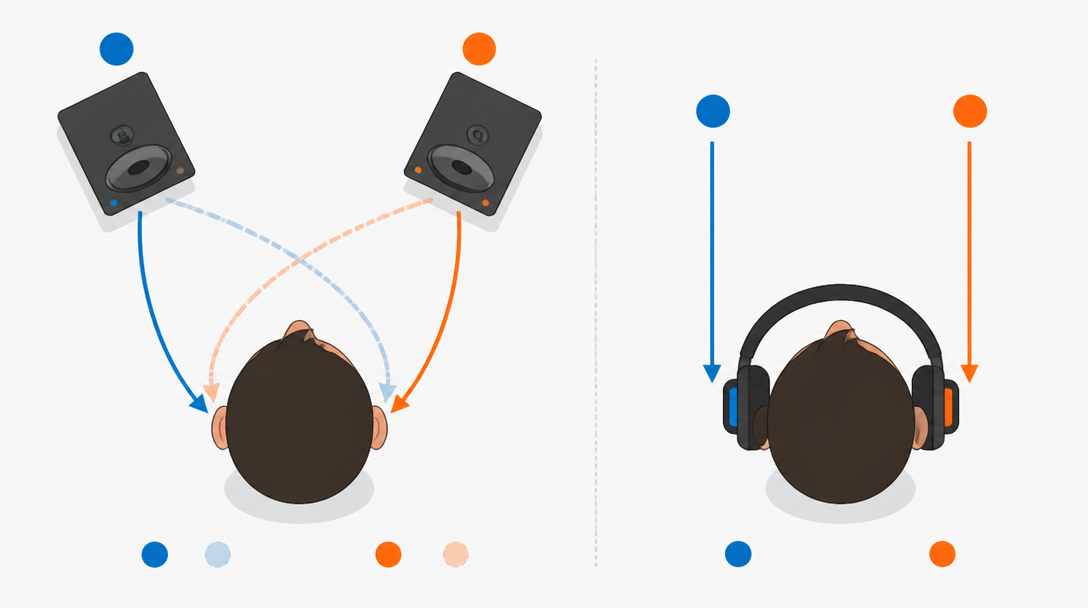
On monitors, your left ear mostly hears the left speaker, but the right speaker's sound also reaches it slightly later and quieter. This natural blend is called crossfeed. On headphones, the left ear hears only the left channel and the right
ear only the right, so crossfeed never happens. This is the main reason for the stereo-imaging illusion discussed below.
Because there is no crossfeed, the stereo field feels wider than it really is on headphones (iZotope). Open-back headphones and crossfeed plugins help soften the problem.
Frequency coloration: even "flat" isn't flat
Monitor headphones aim to reproduce 20 Hz–20 kHz as flatly as possible, yet each model keeps its own coloration. Even units marketed as "flat" or "reference" have a frequency signature of their own (Sonarworks on headphone calibration). A pair that boosts 3 kHz makes vocals sound more forward than they are, tricking you into pulling them down too far.
Studio gear, by contrast, aims to reproduce the source accurately without emphasizing any range (Sleepfreaks). A flat response is what lets you judge instrument balance and effect amounts correctly.
Room acoustics: affected or not
Studio monitors are strongly affected by the room. Standing waves create peaks and dips that make low-end reproduction unreliable, which is why acoustic treatment matters. Headphones remove that variable by cutting room reflections. In short, the two are opposites: "trustworthy but room-dependent monitors" versus "room-free but unnaturally wide headphones."
Pitfall 1: Bass and Sub-Bass Judgment Goes Wrong
Closed-back headphones exaggerate low end
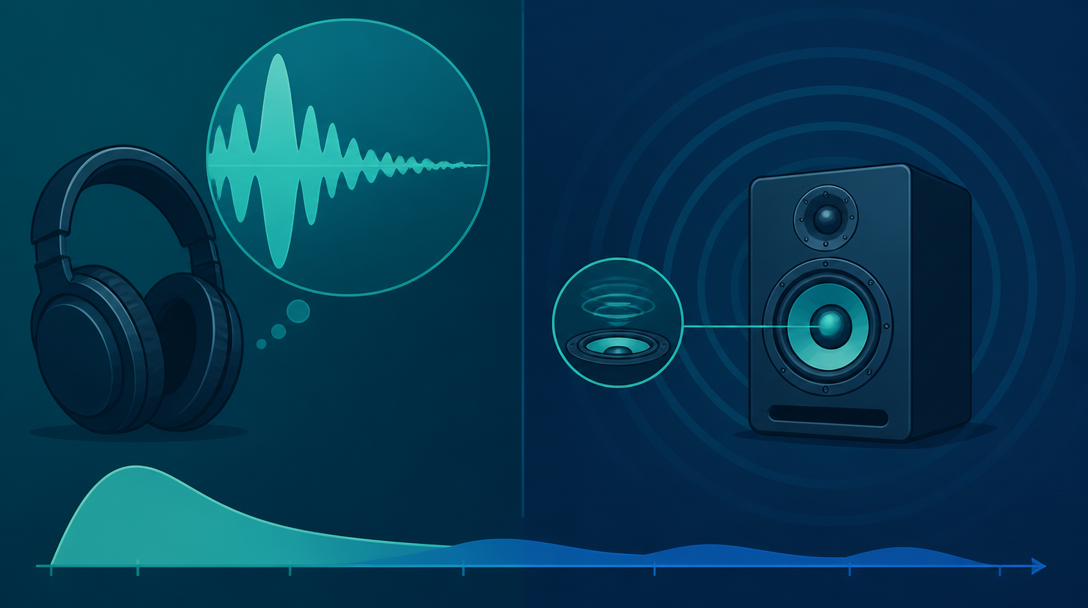
Closed-back headphones, widely used to avoid spill while recording, tend to reproduce bass on the strong side. So bass, kick, or 808 sub-bass may sound "plenty loud," yet come out thin and weak on speakers or earbuds (TRIVISION STUDIO).
Sub-bass around 30 Hz is hard to verify
Paradoxically, while they exaggerate bass, headphones make sub-bass around 30 Hz hard to judge accurately. Even producers who recommend headphone mixing note that "you cannot properly check the deep sub around 30 Hz," so speaker checks are essential (DTM DRIVER!). Low end is also felt as air vibration, which headphones cannot convey.
Fixes: sine-wave checks and speaker verification
Practical fixes for the low-end pitfall:
- Use a sine wave or spectrum analyzer to confirm low-end levels with your eyes
- Check in mono whether the kick and bass overlap in frequency
- Always make the final call on monitors or small speakers as well
- Add saturation so harmonics make the bass audible even on small speakers
Low end and space are closely linked. See our guide on using reverb and delay for related techniques.
Pitfall 2: Stereo Image Feels Too Wide
No crossfeed means over-separated channels
As noted, headphones lack crossfeed, so left and right are fully separated and the stereo image feels wider than reality. Adjusting panning and width in that state leads to a "narrower than expected" or "empty center" result on speakers. It is easier to judge how far back a vocal sits and how wide guitars really are on monitors (eMastered).
Extreme hard panning becomes "one-ear mono"
Panning an instrument fully to one side (100%) on headphones sends it to a single ear, creating an unnatural "one-ear mono" that fatigues the listener. On speakers the sound blends in the air, so it is not an issue there.
Fixes: modest panning, mono checks, crossfeed
Effective countermeasures for the imaging pitfall:
- Keep panning around 85–90% rather than a full 100% for a natural result on both headphones and speakers
- Play in mono occasionally to check phase issues and masking
- Use a crossfeed plugin to emulate how speakers sound
These tie back to mic technique at the recording stage. See our home vocal recording guide.
Pitfall 3: Masking Misses and Ear Fatigue from High Resolution
High resolution hides "disappearing parts"
Monitor headphones have very high resolution compared with normal listening gear. That strength is also a trap: pads or harmonies placed deep in the mix may be clear on headphones yet vanish on a phone. Focusing on detail makes it easy to get the overall balance wrong.
Ear fatigue and level management
Because headphones send sound straight into your ears, long sessions or high levels strain your hearing and risk damage. Tired ears cannot judge accurately. On monitors, a level where you must speak just slightly louder to talk to someone nearby (roughly 75–85 dB SPL) is recommended (iZotope). Keep headphone levels modest too.
Fixes: reference tracks and breaks
For masking and fatigue, reference tracks and rest help. A/B your mix against a well-produced commercial track in the same setup, and gaps in your mix become obvious. Take frequent breaks to reset your ears. When you mix with distribution in mind, this kind of objective checking determines how well your mix translates. For reference, Daito's own songs are available as streaming releases you can use for A/B listening.
A Complete Guide to Using Headphones and Monitors Together
Splitting roles by production stage
It is efficient to assign roles by stage. Headphones are best for noise removal and texture; monitors are best for overall balance, low end, and imaging.
Stage | Primary gear | Reason |
|---|---|---|
Noise / click removal | Headphones | Easier to hear tiny sounds |
Overall level balance | Studio monitors | Depth and width are clearer |
Bass / sub-bass check | Monitors + small speakers | You feel low end as air |
Panning / stereo width | Studio monitors | Natural width via crossfeed |
Texture / effect detail | Headphones | High resolution reveals nuances |
Final check | Multiple systems (phone, car) | Confirms translation |
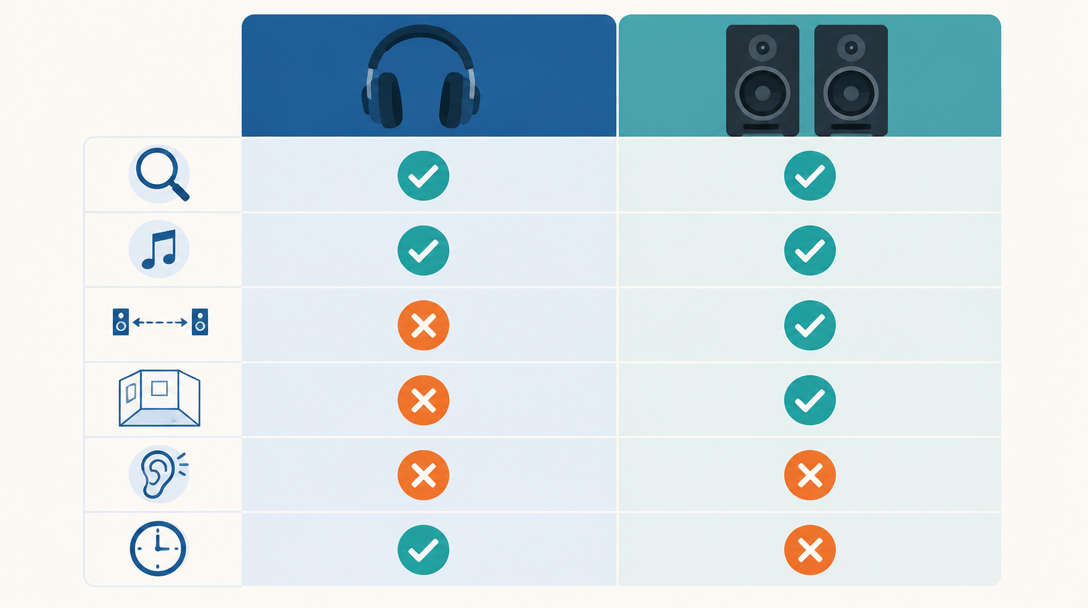
Strengths and weaknesses at a glance
Laying out their traits shows they are complementary, not one being simply better than the other.
Aspect | Headphones | Studio monitors |
|---|---|---|
Detail / noise detection | Excellent | Fair |
Low-end accuracy | Exaggerated; sub unclear | Excellent (needs treatment) |
Stereo imaging | Misleadingly wide | Natural |
Room influence | None | Significant |
Ear fatigue | High | Low |
Freedom of time/place | High | Needs environment |
The ideal: monitors first, headphones second
The ideal workflow uses monitors as the main mixing environment and headphones for detail work and consumer-reference checks. That said, many home setups cannot run monitors loud. In that case, raise your headphone accuracy with calibration and reference tracks, and at least do the final check on speakers or multiple systems. For choosing monitors, see our guide to studio monitor speakers.
Three Ways to Improve Headphone Mixing Accuracy
Get closer to flat with calibration plugins
Headphone coloration can be greatly reduced with calibration software. For example, Sonarworks SoundID Reference ships with 500+ headphone profiles and emulates the response of neutral studio monitors, with a stated accuracy of ±3 dB for standard profiles and ±0.9 dB for individually measured ones. With a corrected, flat response, your EQ, compression, and level choices translate more reliably to speakers, earbuds, and cars.
Check on multiple playback systems
No matter how good your gear is, finishing on a single system is risky. Audition your headphone mixes in the real world as much as possible—phones, earbuds, car stereos, Bluetooth speakers. Multi-environment verification is the best way to catch environment-specific problems early (TRIVISION STUDIO).
Use monitor and listening headphones for different jobs
Using two headphones to cover each other's weaknesses also works. Closed-back models block external noise and aid focus, while open-back models give a speaker-like wide field and less fatigue (Sleepfreaks). Choosing by purpose reduces bias in your decisions. At the final stage, a mastering perspective on loudness matters too—see our mastering fundamentals.
Summary
Headphone mixing is convenient and powerful, but using it without understanding how it differs from monitors leads straight into pitfalls. Key takeaways:
- The core differences are crossfeed, frequency coloration, and room influence
- Pitfall 1: closed-backs exaggerate bass, and sub-bass near 30 Hz is hard to verify
- Pitfall 2: without crossfeed the stereo field feels too wide, and extreme panning becomes one-ear mono
- Pitfall 3: high resolution hides masking and tires your ears
- Fixes are calibration plugins, reference tracks, and multi-system checks; the ideal is monitors-first, headphones-second
Used correctly, headphone mixing can deliver pro-level translation even at home. Start by learning your gear's quirks and making multi-environment checks a habit.